

Arrow Game Tap Away Arrow · hex arrow puzzle · limited moves
Arrow Game Tap Away Arrow Every tap follows the arrow — and every move counts.
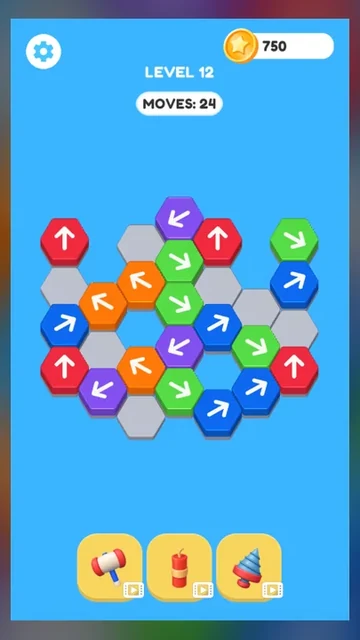
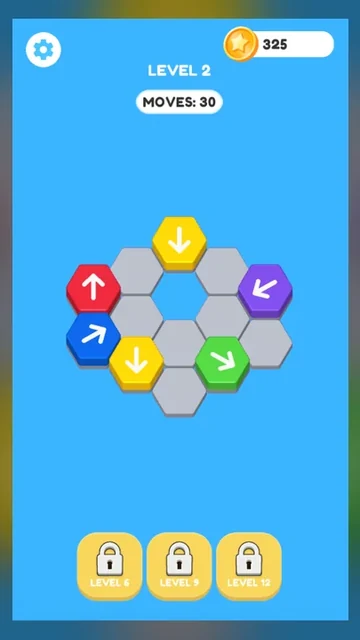
Colored hex tiles only travel in the direction on their arrow. Find open routes, clear blockers in the right order, and empty the board before the MOVES counter runs out.
Directional hex tilesEach arrow sets the only travel line
Blocked bounce-backObstructed taps return and cost a move
Move allowancePlan around the MOVES counter
Later helpersHammer at 6, TNT at 9, Drill at 12
The Arrow Game Tap Away Arrow idea
Clear directional hexes before moves run out
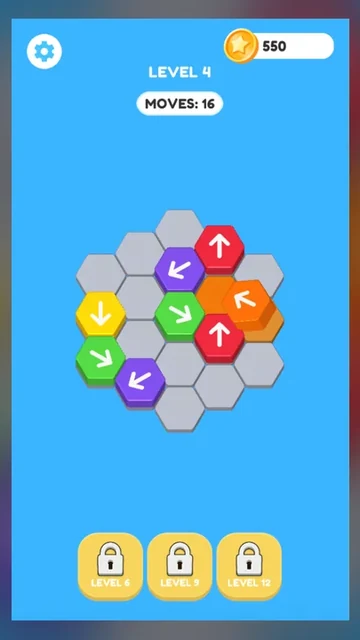
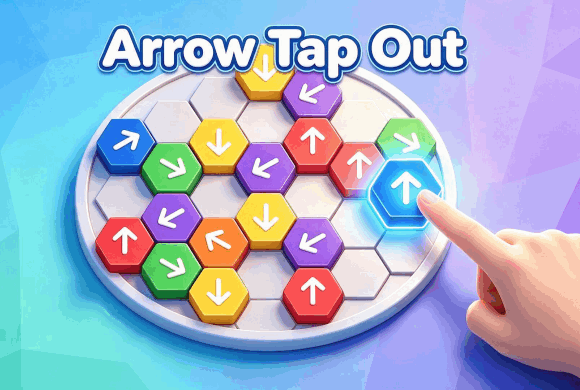
Arrow Game Tap Away Arrow is a directional block puzzle on a hexagonal layout. Tap a colored tile and it tries to travel along its printed arrow. An open route lets it leave and free space for the rest of the board.
If another tile sits in that lane, the piece hits the obstruction and returns to its start. That failed attempt still spends from the MOVES counter, so order and path-reading matter more than fast tapping.
Open space and gaps both count
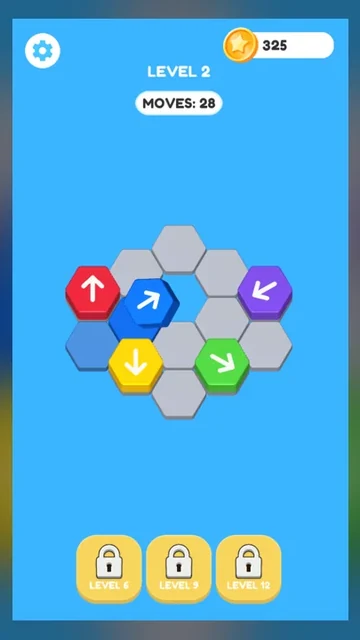
Tiles can leave toward empty outer space or through holes inside the layout when their arrow lines up with that gap. Trace the full lane before you commit a move.
01Read each arrow
02Clear blockers first
03Spend moves carefully
Directional hex logic
How to play Arrow Game Tap Away Arrow
Tap an arrow tile. Click or tap a colored hex to start movement in the direction printed on it.
Confirm the route is open. If the path is clear, the tile travels away. If another block is in the way, it returns to its original spot.
Watch the MOVES counter. Each attempt lowers the remaining allowance, so avoid repeating the same blocked tap.
Clear the board in order. Remove the pieces that free other arrows, use internal gaps when they help, and empty every arrow tile before moves run out.
Good to know
Helpers arrive as you progress
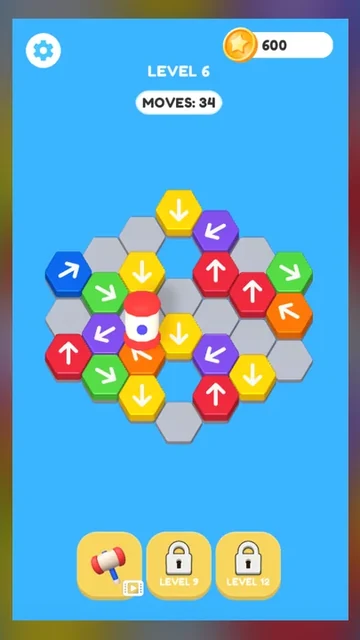
Hammer unlocks at Level 6 and destroys one selected arrow tile.
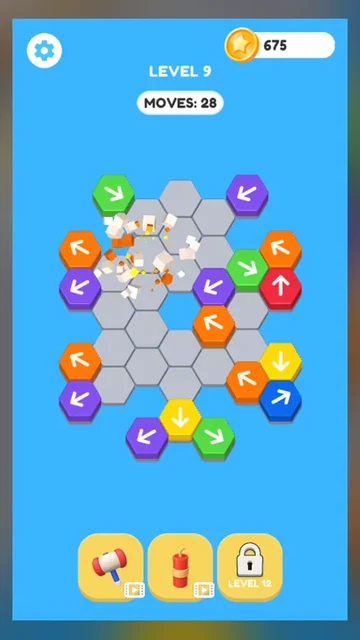
TNT unlocks at Level 9 and clears neighboring arrow tiles around where you place it.
Drill unlocks at Level 12 and cuts a gray platform tile into an open gap.
Settings can toggle sound and music; completing levels awards coins for later play.
See the board
Inside Arrow Game Tap Away Arrow
Start movement on an arrow block
Keep reading the next clear arrow
Send tiles into open space
Use holes inside the layout
Blocked arrows bounce back
Hammer unlocks at Level 6
Destroy one troublesome tile
TNT unlocks at Level 9
Blast a crowded cluster
Drill unlocks at Level 12
Cut through a platform
Open a new escape gap
Arrow Game Tap Away Arrow guide
Getting the most from Arrow Game Tap Away Arrow
Success comes from reading arrows before you tap. Prefer moves that both remove a tile and open several new exits, and treat every bounce-back as a wasted move you should not repeat.
Playing on desktop or mobile
Use click controls on desktop or tap controls on a phone. The same browser build fits either screen with the auto player layout.
Path reading and bounce-backs
Before each tap, follow the arrow through every hex in front of it. If a blocker sits on that line, clear the blocker first instead of testing the same stuck tile again.
Gaps and outer exits
Open outer space and holes inside the cluster can both act as valid exits when an arrow points into them. A drill later lets you create those gaps on purpose.
Hammer, TNT, and Drill
Hammer unlocks at Level 6 and deletes one selected arrow tile. TNT unlocks at Level 9 and destroys neighboring arrows around its placement. Drill unlocks at Level 12 and removes a platform foundation so nearby arrows gain a new escape lane. Save them for crowded boards where sequence alone burns too many moves.
Questions
Arrow Game Tap Away Arrow FAQ
What is the goal of Arrow Game Tap Away Arrow?
Clear the arrow blocks by moving them along their printed directions and finding a workable removal order before the MOVES counter runs out.
Why does a block return to its original position?
Another block sits in its arrow path. The tile hits that obstruction, returns, and you should remove the blocker first.
What does MOVES mean?
It shows how many attempts remain in the current level. Blocked taps still spend from that allowance.
Can an arrow move into an empty gap?
Yes. If its direction leads toward a valid open route or hole, the block can travel through that space.
What do Hammer, TNT, and Drill do?
Hammer unlocks at Level 6 and destroys one selected arrow tile. TNT unlocks at Level 9 and clears neighboring arrow tiles around where you place it. Drill unlocks at Level 12 and cuts a platform tile into an open gap.
Is Arrow Game Tap Away Arrow free to play?
Yes. You can play in the browser without creating an account or installing a separate game.
Can I play on mobile and desktop?
Yes. Arrow Game Tap Away Arrow runs in a modern browser with tap or click controls, and the player uses an auto layout for different screens.
Ready for a cleaner path?
Return to the board, trace the next open arrow, and spend each move on a route that actually improves the layout.