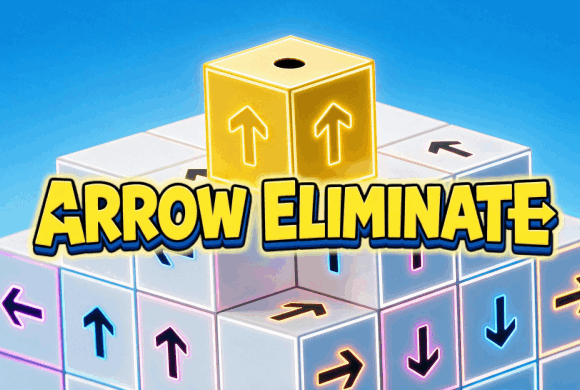
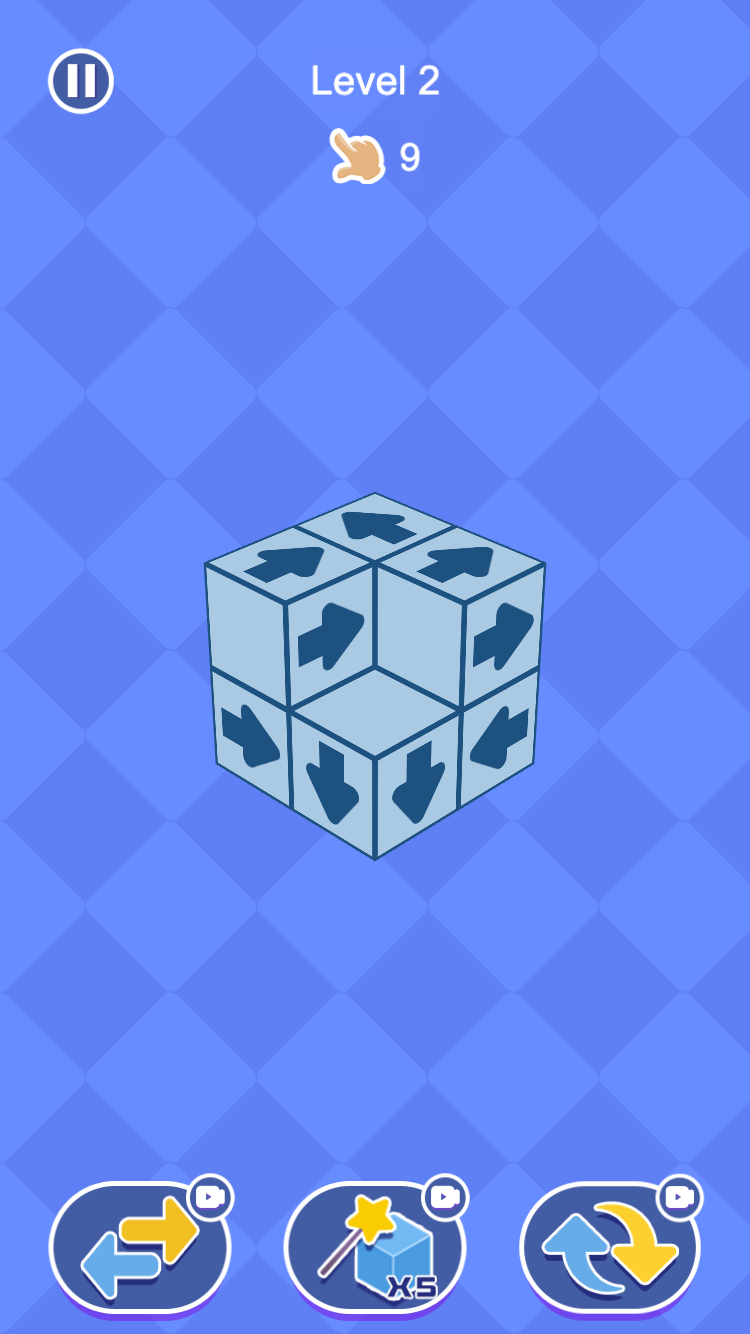
The 3D Arrow Eliminate Game wraps a directional puzzle around a fully rotatable three-dimensional structure. Each block carries an arrow, and a block can leave only when nothing blocks the route in that direction.
Turning the cube reveals hidden faces and makes the depth of the structure easier to read. Removing one safe block exposes another, so every move combines direction logic with spatial reasoning. For a change from rotating the cube, explore more arrow puzzle games.
There is always a removable block
The in-game hint confirms that at least one block can always be removed. When the cube looks locked, slow down and check every visible arrow before using a helper.
01Scan the faces
02Find a clear arrow
03Empty the cube
Directional block logic
How to play Arrow Eliminate
Rotate the structure. Turn the 3D block to inspect its front, sides, top, and the depth behind each arrow.
Check the exit lane. Choose an arrow whose path is not blocked by another part of the structure.
Tap or click the block. A valid block flies away and reveals new edges and possible moves.
Clear every block. Repeat within the tap allowance in Level Challenge or before time expires in Quick Challenge. A blocked tap still spends one from the hand counter.
Read the cube · 01
How to Read the 3D Arrow Structure
Do not tap the first arrow you notice. Read the printed direction, follow that line through the cube, then decide whether the exit is open, blocked, or still hidden by depth.
Read the arrow direction
Each block can leave only along its own arrow. An empty gap beside the block does not help unless the arrow actually points that way. Start by naming the direction, not by guessing from the outline of the cube.
Check what sits in the depth
Arrow Eliminate is not a flat grid. A lane that looks clear on the face you can see may still hit a block behind, beside, or under that arrow. If the far side of the path is out of view, treat the move as CHECK DEPTH until you rotate.
Trace the full exit path
Follow the arrow until it either leaves the structure or meets another block. OPEN means nothing occupies that lane. BLOCKED means another block sits on the line. Do not stop at the first patch of background color beside the cube.
OPEN
BLOCKED
CHECK DEPTH
Read the cube · 02
Why Rotation Matters in Arrow Eliminate
Rotation is not only for looking around. It is how you finish reading a path that the first angle cannot show.
One angle is a partial read
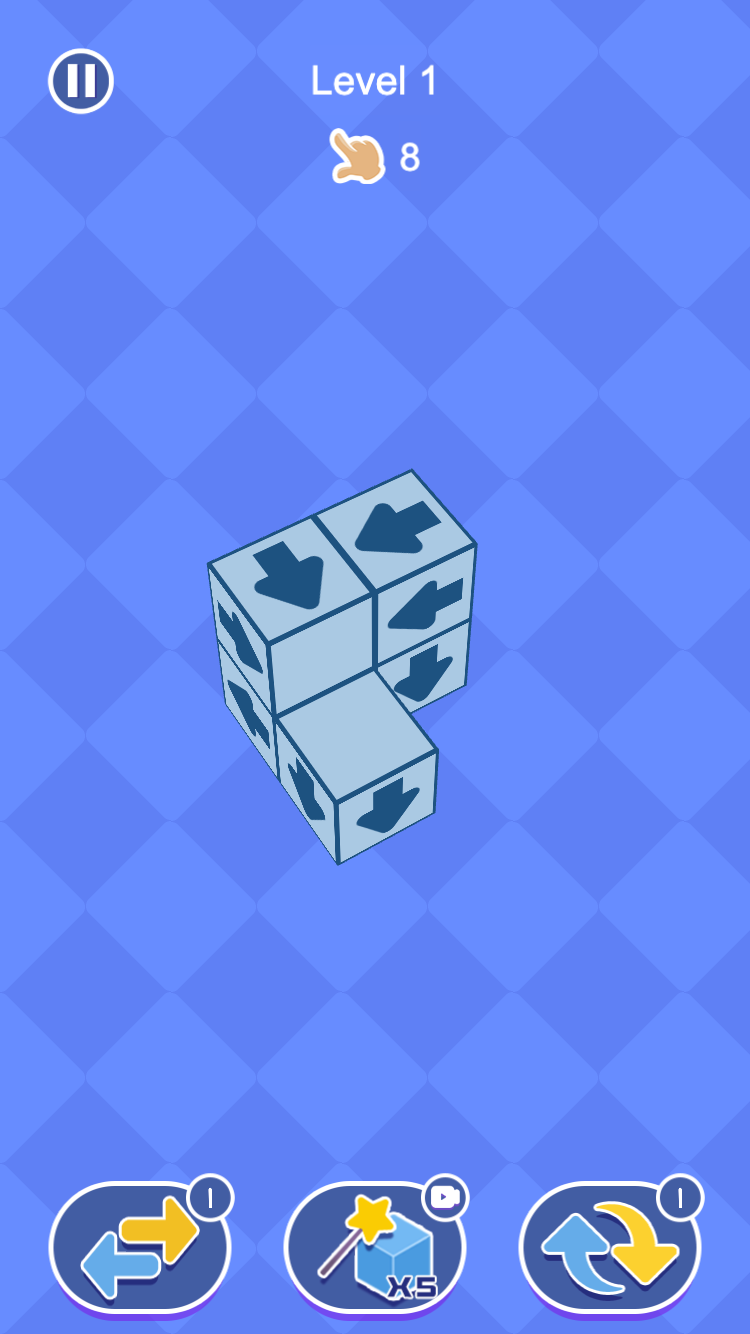
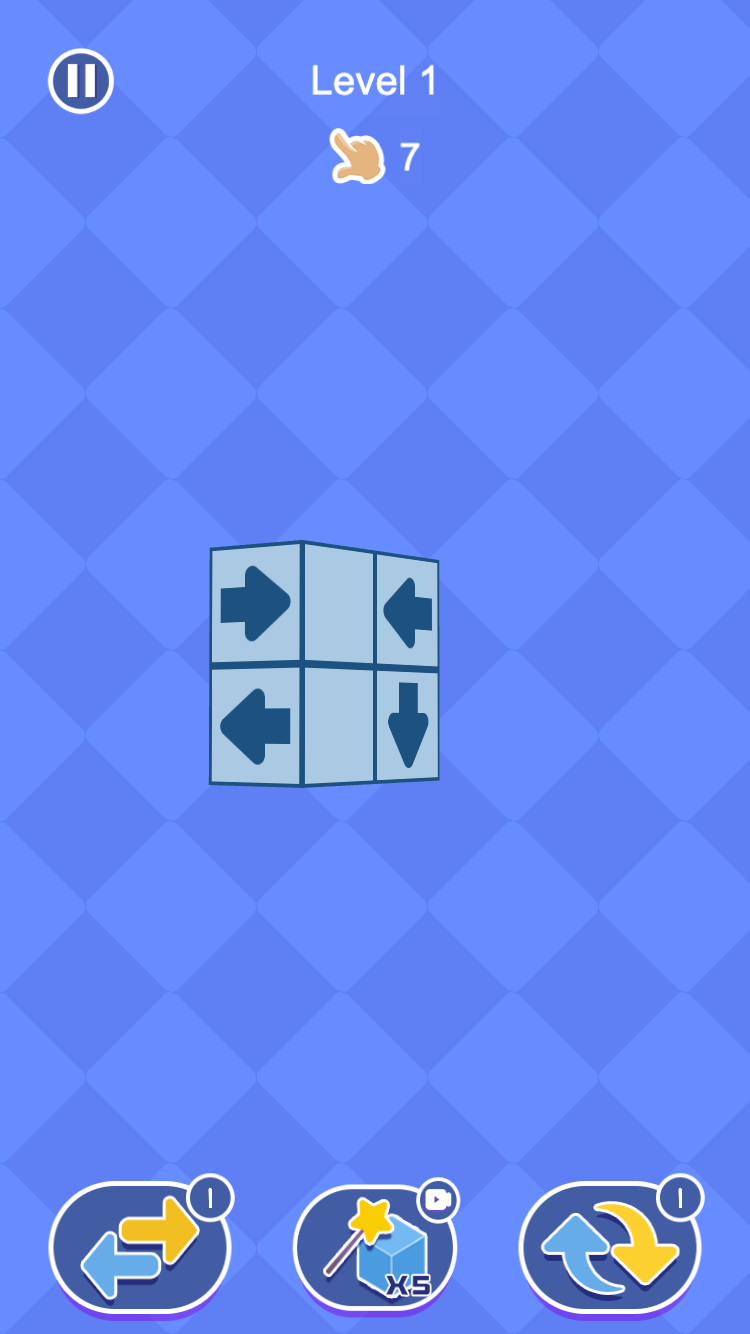
The two pictures below are the same Level 1 cube after a few blocks have already left, with 8 taps left. From this angle you can see the overall shape, but some arrows on the left are still hard to follow all the way out.
Rotate until the lane is visible
After the structure turns, the same cube presents a flatter face: two top arrows point toward each other, and the lower arrows point out. Rotation revealed those relationships; it did not change the rules.
Front view
Rotate
Read the new face
Read the cube · 03
A Simple 5-Step Method for Arrow Eliminate
Use this loop on every crowded cube. You only need one confirmed OPEN block to start.
1. READ
Pick one visible arrow and name its direction before you think about tapping.
2. ROTATE
If you cannot see the rest of that lane, turn the structure. Check the front, a side, the top, and the depth behind the arrow.
3. TRACE
Follow the full path. Decide OPEN, BLOCKED, or CHECK DEPTH. A blocked arrow is the next block to look at, not an automatic tap.
4. REMOVE
Tap only after the path is clear. A blocked tap still uses one from the number next to the hand, and the cube does not change. The in-game hint says at least one block can always leave, so keep looking rather than using a helper right away.
5. RESCAN
A removal can create a new edge, open a path, or show a face that was hidden. Look at the cube again before the next tap. The two Level 1 pictures below are one good tap: the open block leaves, and the number next to the hand drops from 11 to 10.
READ
ROTATE
TRACE
REMOVE
RESCAN
Read the cube · 04
What the Tap Count Means in Level Challenge
Every picture here is from Level Challenge. The number next to the pointing hand is how many taps you have left, not how many blocks are on the cube.
11 means 11 taps
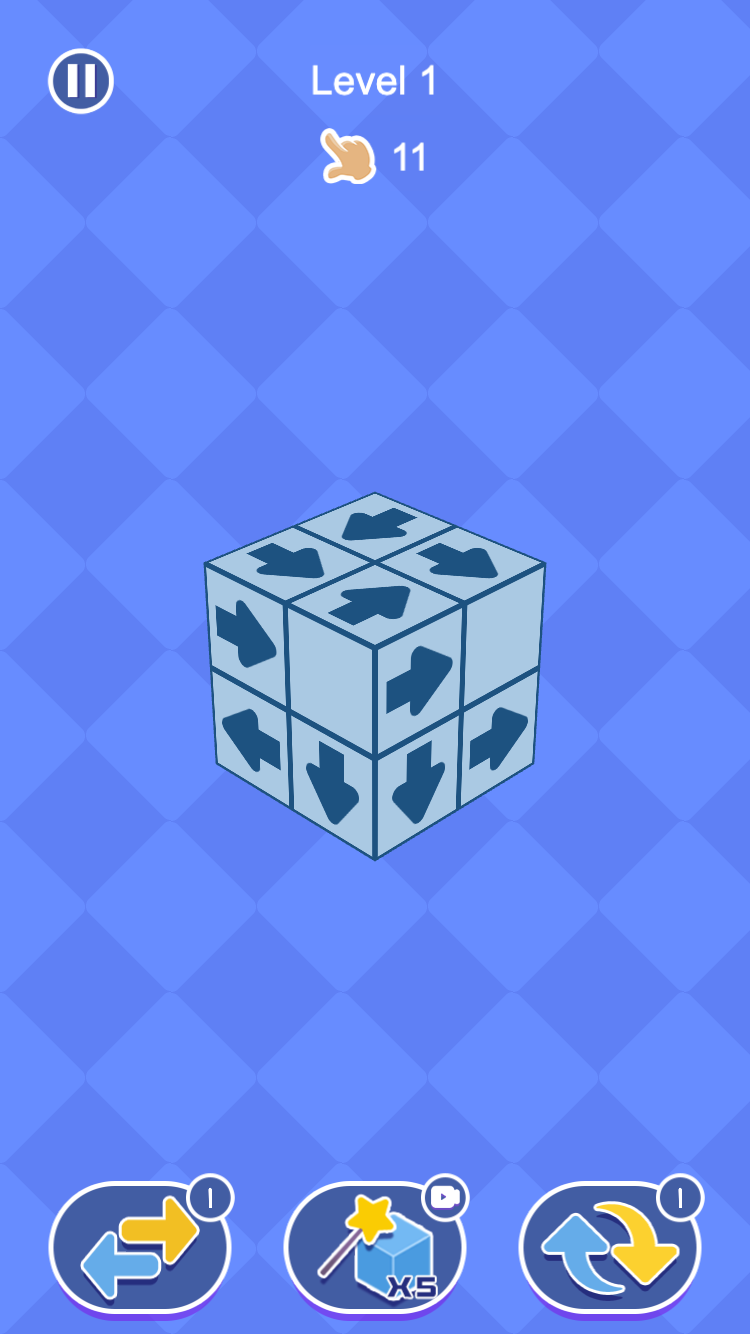
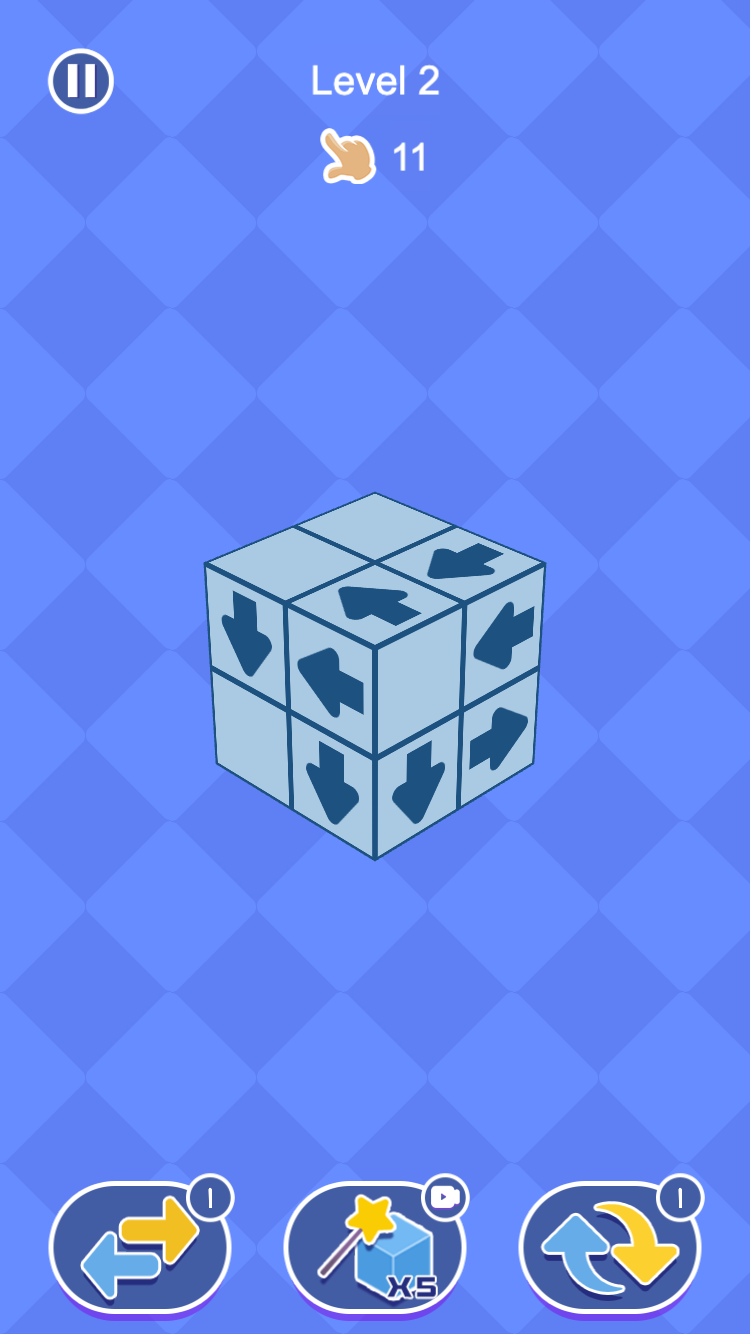
If the number next to the hand is 11, you can tap a block 11 times on this level. A good tap takes the block off and uses one tap. The cube getting smaller and the number going down often happen together, but they are not the same thing.
A blocked tap still spends a tap
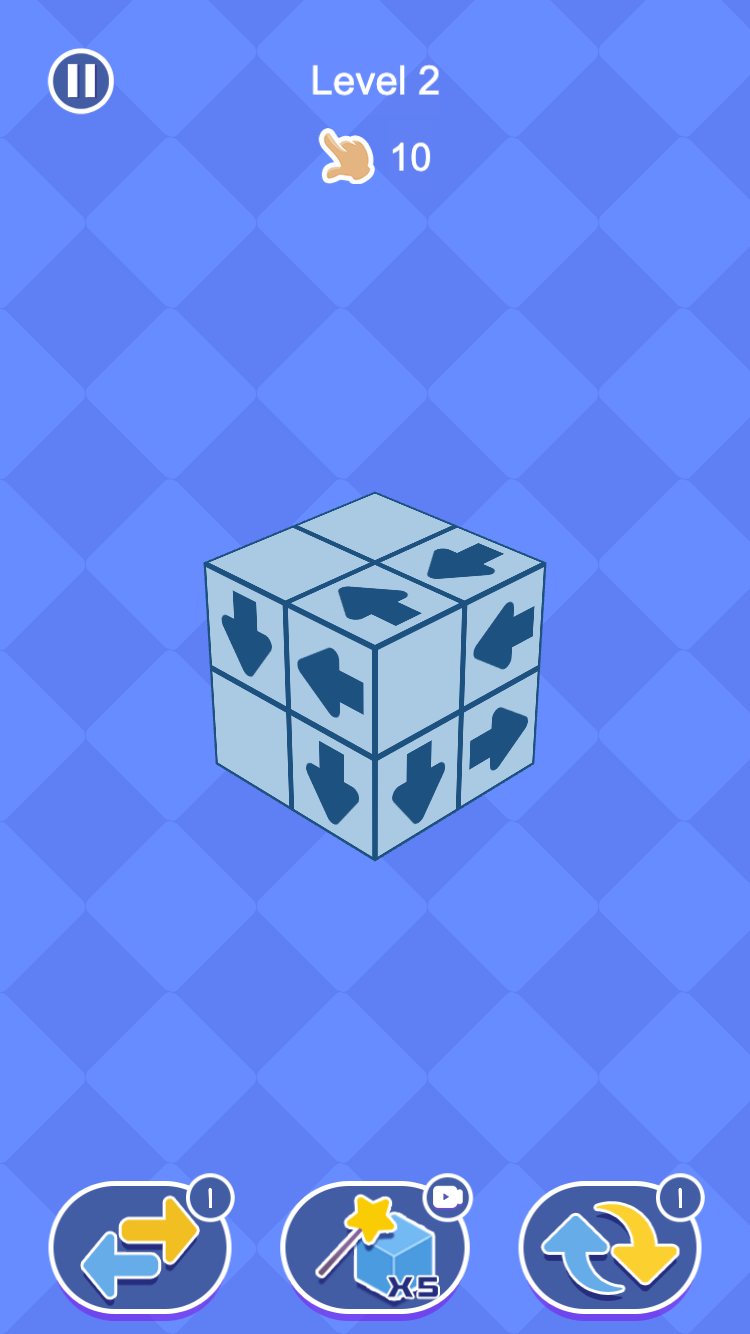
If you tap an arrow that cannot leave, the block stays put and the number still goes down. The two Level 2 pictures below show the same cube going from 11 taps to 10 taps after that wasted click.
Watch the number
When the number reaches zero, you cannot keep tapping. Check whether a path is OPEN, BLOCKED, or CHECK DEPTH before you tap, so a blocked path does not use up a tap you still need.
Read the lane
Tap only if OPEN
Blocked tap still costs 1
Look closer · 05
Arrow Eliminate 3D Examples
Finding an open exit
This is Level 1 at the start of Level Challenge, with 11 taps left. A marks the upper-right block on the top face.
Start11 taps left · A is still on the upper-right corner.
Try it: Trace A in the direction of its printed arrow. Is the lane OPEN, BLOCKED, or still CHECK DEPTH?
Read A’s arrow on the upper-right corner, rather than choosing a block only because it sits on the outside of the cube.
Follow that direction off the cube. No other block sits on that short path.
A is OPEN. After it leaves, inspect the new corner — a hidden face can become visible.
OPEN Follow the arrow off the cube. An outer seat is not enough if the arrow still points into another block.
Why this angle is not enough
Later in the same Level 1 game, 8 taps are left. A marks an arrow on the narrow left face of the L-shaped structure.
BeforeBefore rotation · A’s full lane is not visible from this angle.
Try it: Can you prove that A is OPEN from this angle alone, or do you need to rotate the cube?
Read A on the narrow left face. You can see the arrow, but the viewing angle compresses the space in front of it.
Do not tap from the BEFORE frame alone. Switch to AFTER ROTATION to inspect the same 8-tap structure from a flatter angle.
After rotation, A and B face each other, while C and D point out. Rotation reveals the lanes; it does not change the arrows.
One structure · two viewing angles
BEFORE: partial view
Rotate the structure
AFTER: trace A–D
ROTATE If you cannot see the full path out, turn the cube before you decide OPEN or BLOCKED.
Open and blocked on the same face
After D leaves, 7 taps are left and the extra block on the right is gone. What you see now is a 2×2 face of arrows.
Before7 taps left · compare all four marked lanes before choosing.
Try it: Which marked arrows can leave immediately: A, B, C, or D? More than one answer may be correct.
A still points at B. That top row is BLOCKED until one of those blocks leaves by another route.
C points left into open space and D points down. Switch to AFTER D to confirm that D leaves and the count changes from 7 to 6.
On a flat face, OPEN and BLOCKED can sit next to each other. Read each arrow’s own lane.
BLOCKED Two arrows that point at each other are not both ready. Find the arrow whose lane actually leaves the structure.
Before a blocked tap: 11 left
This is Level 2 before the comparison tap, with 11 taps left. A marks the number beside the pointing hand.
BeforeBefore the blocked tap · 11 taps remain.
Try it: Compare this cube with the next picture. Does a block disappear, or does only the tap counter change?
Read A as taps left, not as how many blocks are on the cube. Every arrow is still in place.
Switch to AFTER. The same cube remains after a tap that did not take a block off.
If the arrow you tap is BLOCKED, you still spend one from A.
TAPS In Level Challenge, the number next to the hand is how many times you can tap. A good tap and a bad tap both use one.
Good to know
Reverse, auto-clear, and reshuffle
Level Challenge shows remaining taps beside the pointing hand. A blocked click still spends one tap.
Quick Challenge replaces that counter with a countdown for a faster run.
The first tool reverses every printed arrow on the current cube.
The second auto-removes blocks that can already leave; the third lifts the arrows and seats them again with new directions.
First tool: reverse every arrow
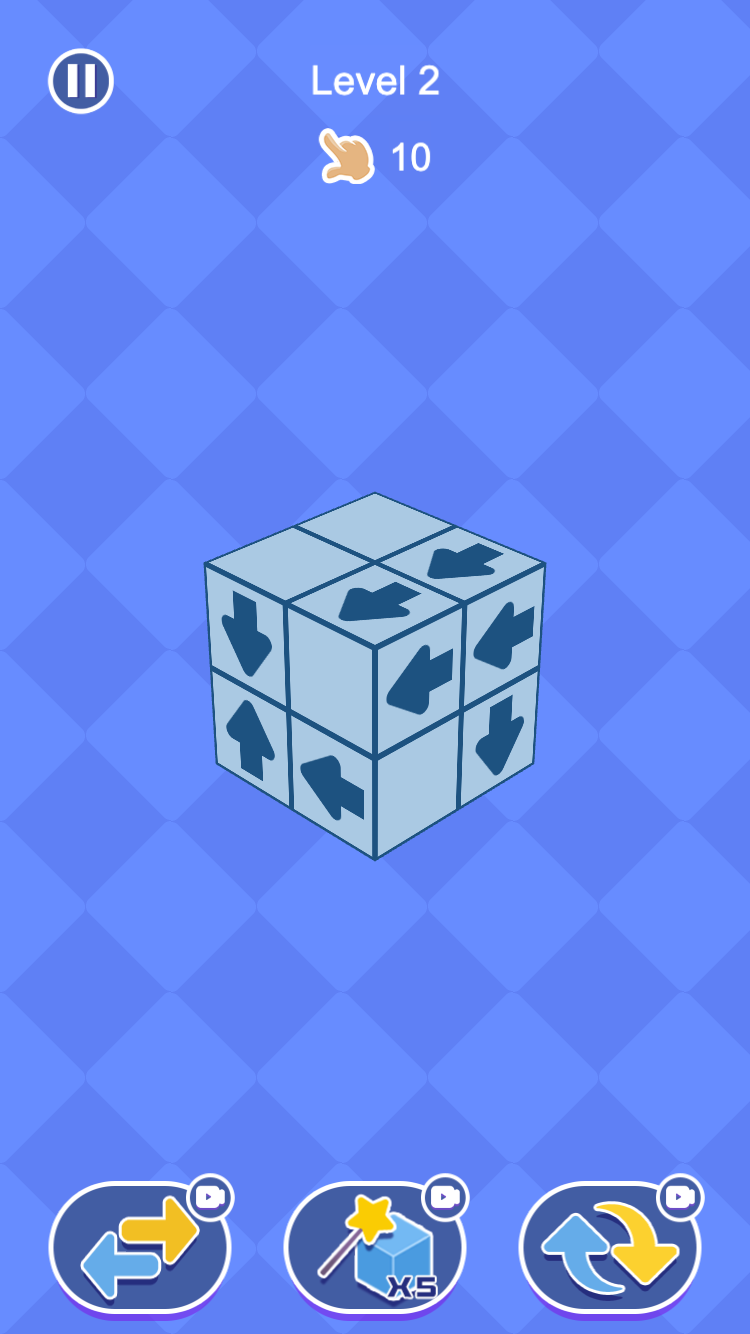
This is Level 2 immediately after the left-hand tool, still with 10 taps left. A marks one front arrow; B marks the tool used.
BeforeBefore the tool · 10 taps remain and the cube keeps its original directions.
Try it: Compare the arrows with the earlier 10-tap Level 2 picture. What changed, and what stayed the same?
Use the left tool when you want new directions without changing the cube’s shape.
Switch from BEFORE to AFTER REVERSE. Each arrow flips to the opposite way; A changes from down to up.
You still have 10 taps. Using this tool is not a tap on a block, so the number does not go down.
Reverse · same cube
Same cube
First tool
Arrows point the opposite way
REVERSE The first tool flips the arrows in place. Read every path again after that. A block that was OPEN may now be BLOCKED, and the other way around too.
Third tool: start a reshuffle
The first frame is a 10-tap reference for the right-hand control. Action and Result are a separate 9-tap animation pair.
Tool10-tap reference · A identifies the right-hand reshuffle tool.
Try it: After using A, which part of the puzzle changes and which part stays in place?
TOOL REFERENCE identifies the right-hand control in a 10-tap state; it is not the start frame of the following 9-tap pair.
Switch to ACTION and RESULT to compare one 9-tap reshuffle. Blank faces are temporary while the symbols move.
After the new arrows settle, the cube keeps its shape but every lane must be read again before you tap.
Reshuffle · action to result
Choose the third tool
Arrows lift
New directions settle
RESHUFFLE Blank faces during the animation are temporary. Wait for every new arrow to land, then rescan the cube.
Second tool: clear blocks that can leave
This is Level 2 after using the middle tool, with 9 taps left. A and B mark the only two blocks still visible; C marks the tool.
BeforeBefore the middle tool · the larger 9-tap structure is still visible.
Try it: Only A and B remain after the middle tool finishes. Why did the tool leave these two blocks behind?
Use the middle tool when you already know several blocks can leave and you want them gone in one go.
Switch from BEFORE to RESULT. The middle icon is marked x5, and the tool removes open blocks without forcing a blocked block through another one.
A and B are still here because their arrows were not open. Follow those paths before the next tap or tool.
Auto-clear · open exits
Find OPEN blocks
Second tool
Only blocked cubes remain
AUTO-CLEAR The second tool only helps arrows that can already leave. It will not remove a block that is still sitting in someone else’s way.
See the cube
Inside Arrow Eliminate
Choose Level or Quick ChallengeTrack remaining taps in Level ChallengeRace the clock in Quick ChallengeOpen the first routeExpose the inner blocksBrowse block skins
Arrow Eliminate guide
Master the 3D Arrow Eliminate Game
After you can read OPEN, BLOCKED, and CHECK DEPTH on the cube, use the tap counter and tools below to finish the level.
Level Challenge
Level Challenge shows the current level and remaining taps beside the pointing hand above the cube. Plan each click around that allowance: a blocked tap still spends one, and the cube does not change.
Quick Challenge
Quick Challenge replaces the tap counter with a countdown. The directional rule stays the same, but the clock rewards faster rotation and rescans as the 3D structures grow larger.
Know the three tools
The first tool reverses each printed arrow on the current cube. The second automatically removes blocks that already have an open exit, with x5 shown on the control. The third lifts the arrows off the structure and seats them again with new directions on the same shape.
Designed for portrait play
Arrow Eliminate keeps its game canvas at 9:16 inside the standard player, so the full 3D structure, timer, level details, and tools stay easy to reach. Use touch on a phone or tablet, or click the blocks with a mouse on desktop.
Questions
Arrow Eliminate FAQ
What is the 3D Arrow Eliminate Game?
The 3D Arrow Eliminate Game is a rotatable directional block puzzle. Each small cube has an arrow, and your goal is to remove every block whose arrow points toward a clear exit.
How do I remove a block?
Tap or click a block after checking that nothing sits in the direction of its arrow. A valid block moves out of the structure and spends one tap. A blocked tap spends a tap too, but the block stays.
What does the number beside the hand mean?
In Level Challenge it is how many taps you have left, not how many blocks remain on the cube. If it shows 11, you can tap 11 times.
Why does an arrow look free but refuse to leave?
Another block may sit in the depth of that lane, on a face you cannot see yet. Rotate the structure and trace the full exit path before tapping.
What is the difference between the two modes?
Level Challenge presents numbered levels and shows remaining taps beside the pointing hand. Quick Challenge uses a countdown instead.
Can I rotate the arrow structure?
Yes. The arrow blocks form a rotatable 3D structure, so you can inspect different faces and understand how their directions relate in space.
Is there always a possible move?
Yes. The in-game hint states that one block can always be removed, so check each visible direction carefully when the cube appears stuck.
Does Arrow Eliminate have helper tools?
Yes. The first reverses every printed arrow on the current cube. The second automatically removes blocks that can already leave. The third lifts the arrows off the structure and places them again with new directions.
Can I change the block appearance?
Yes. The main menu includes a skin shop with several alternate arrow-block designs.
Can I play on mobile and desktop?
Yes. Arrow Eliminate keeps its 9:16 portrait layout on mobile and desktop, and works with touch controls or a mouse in a modern browser.
Is Arrow Eliminate free to play?
Yes. You can start Arrow Eliminate online in your browser without downloading a separate game.
Ready to find the next open arrow?
Return to the cube and clear one route at a time. The structure gets easier to read with every block you eliminate.